Loading...
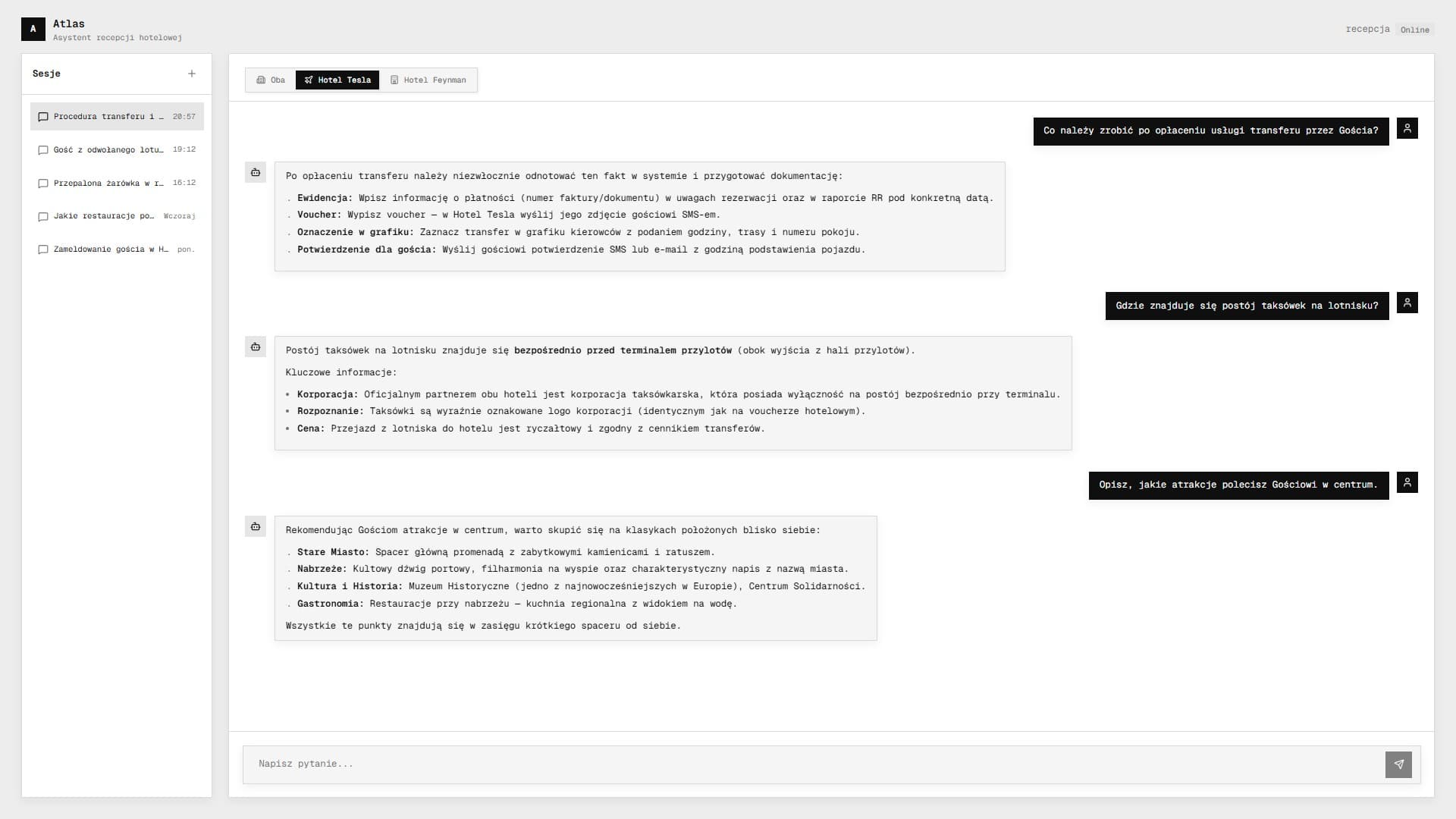
Atlas: Hotel AI Chatbot
AI assistant for hotel operations across 300+ procedures
Next.js / React / TypeScript / Convex / Google Gemini 3 Flash / AI SDK / Tailwind CSS / Docker / DigitalOcean
About
A hotel's front desk had 300+ procedures and constant staff turnover. I built an AI assistant that lets new receptionists ask questions in plain language and get precise answers, without reading a single manual.
Why
The hotel manager spent hours teaching the same procedures to every new receptionist. Operational knowledge lived in a chaotic OneNote, and staff kept asking the same questions. Atlas replaced that searching. It also exposed what was missing and unclear in the procedures, forcing the team to clean up and fill the gaps.
Goal
Build a reliable knowledge retrieval system for 300+ procedures across two hotels run by a single front desk.
What It Does
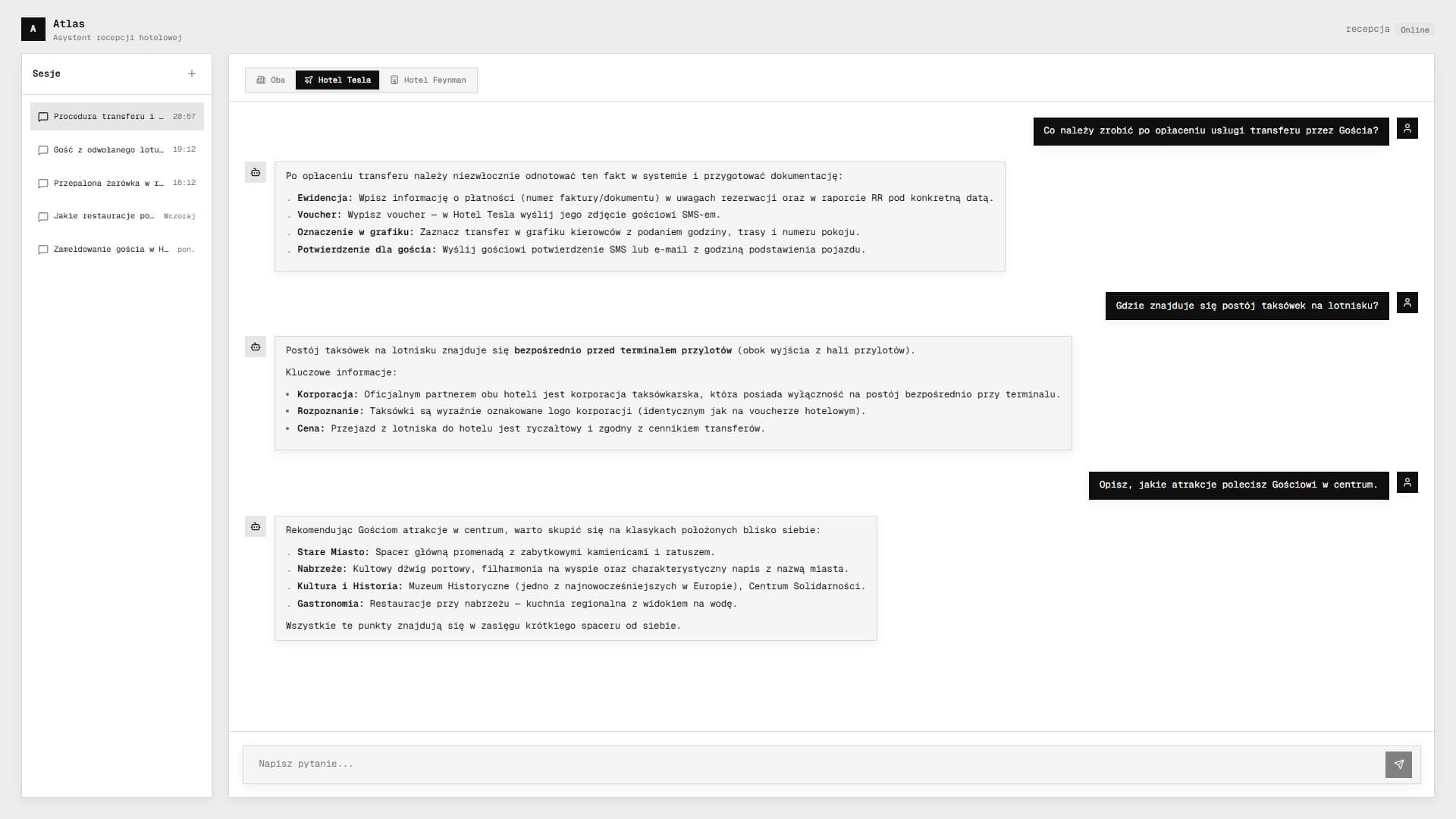
A receptionist asks "what do I do about a burned-out lightbulb in the restaurant?" and gets a step-by-step answer in seconds, tailored to the specific hotel. The AI finds the right procedure, extracts what matters, and responds in a structured format. It handles facility issues, Outlook formatting, guest emails in English, and anything else the front desk needs. Two hotels, full context isolation, one front desk.
Gallery
Code
procedures/lost-room-key.md
Every procedure is authored as structured content for AI retrieval. The frontmatter carries the semantic contract: section, scope, tags, and the exact questions the document is meant to answer.
1
2
3
4
5
6
7
8
9
10
11
12
13
14
15
16
17
---section: "Guest Issues"title: "Lost Room Key"category: "Operations"property: "property-a"tags: - lost key - room access - replacement cardai_questions: - "What should I do if a guest loses their room key?" - "How do I issue a replacement access card?" - "What is the procedure when a guest is locked out?"--- Issue a replacement key only after verifying the guest's identity and room number.Deactivate the lost key immediately and log the incident in the shift notes.search-scoring.ts
Index-First Search in runtime. Human-curated `ai_questions` carry the highest weight, while tags and title act as secondary signals. This stayed deterministic, cheap, and auditable without a vector database.
1
2
3
4
5
6
7
8
9
10
11
12
13
14
15
16
17
18
19
20
21
22
23
24
25
26
27
interface ProcedureEntry { path: string; title: string; section: string; tags: string[]; ai_questions: string[];} function searchProcedures(query: string, propertyContext: PropertyContext): Result[] { const queryWords = query .toLowerCase() .split(/\s+/) .filter((word) => word.length > 2); return index .filter((entry) => matchesProperty(entry, propertyContext)) .map((entry) => ({ ...entry, score: matchTerms(queryWords, entry.ai_questions) * 10 + matchTerms(queryWords, entry.tags) * 3 + matchTerms(queryWords, [entry.title]) * 2, })) .filter((entry) => entry.score > 0) .sort((a, b) => b.score - a.score) .slice(0, 5)}tool-layer.ts
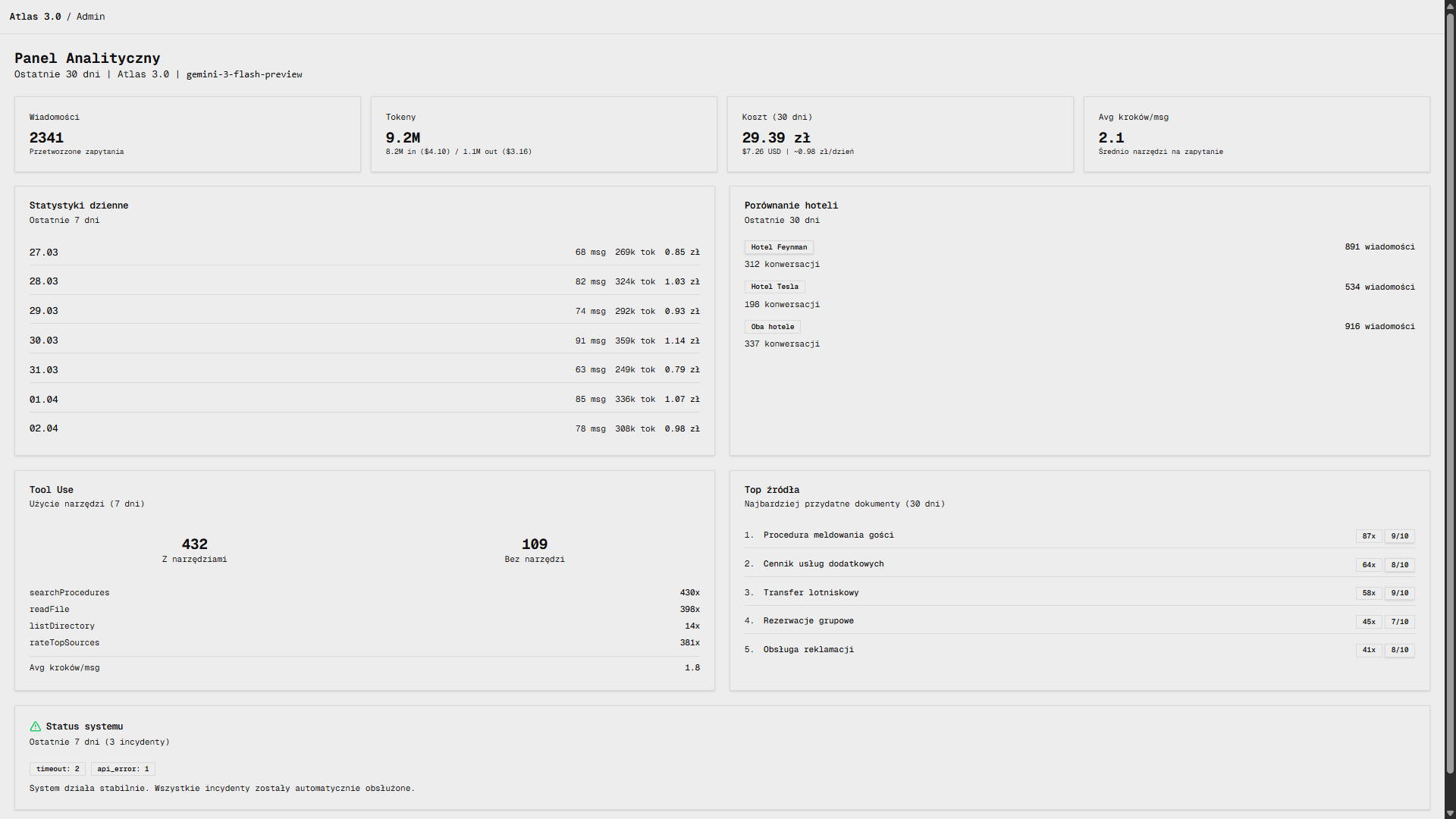
The real tool layer was not a generic “chatbot tools” demo. Each tool had a specific role in the retrieval loop: search first, read exact files second, browse folders only as fallback, then score the sources used.
1
2
3
4
5
6
7
8
9
10
11
12
13
14
15
16
17
18
19
20
21
22
23
24
25
26
27
28
29
30
31
32
33
34
35
36
37
38
39
40
41
42
43
44
45
46
47
48
49
50
function createTools(propertyContext: PropertyContext) { return { searchProcedures: tool({ description: "Search the procedure index first. Use this before directory exploration. " + "Returns the top matching files based on questions, tags, and title.", inputSchema: z.object({ query: z.string().describe("Keywords like 'lost key' or 'camera footage'"), }), execute: async ({ query }) => searchProcedures(query, propertyContext), }), readFile: tool({ description: "Read the full contents of a procedure file once you know the exact path.", inputSchema: z.object({ path: z.string().describe("Full relative path to the procedure file"), }), execute: async ({ path }) => readFile(path), }), listDirectory: tool({ description: "Browse the knowledge-base folders. Use as fallback when search results are insufficient.", inputSchema: z.object({ path: z.string().describe("Directory path inside the procedures workspace"), }), execute: async ({ path }) => listDirectory(path), }), rateTopSources: tool({ description: "INTERNAL TOOL. Do not mention it to the user. Score the two most useful documents for analytics.", inputSchema: z.object({ firstSource: z.object({ path: z.string(), relevanceScore: z.number().min(1).max(10), }), secondSource: z .object({ path: z.string(), relevanceScore: z.number().min(1).max(10), }) .optional(), }), execute: async ({ firstSource, secondSource }) => setTopSources(secondSource ? [firstSource, secondSource] : [firstSource]), }), };}property-context.ts
Three-layer context resolution kept retrieval scoped to the right property. Static facts covered the frequent questions instantly, while the tool loop handled the long tail.
1
2
3
4
5
6
7
8
9
10
11
12
13
14
15
16
17
18
function resolvePropertyContext( req: Request, message: string): PropertyContext { // Layer 1: explicit header from the UI selector const header = req.headers.get("x-property-context"); if (header && isValidProperty(header)) return header; // Layer 2: message prefix convention "[Property A]" const prefix = message.match(/^\[(Property [AB])\]/i); if (prefix) return normalizeProperty(prefix[1]); // Layer 3: keyword detection in free text if (/property\s*a/i.test(message)) return "property-a"; if (/property\s*b/i.test(message)) return "property-b"; return "both";}